

Two types
Fluents ships examples of both. Sales, Debt Relief and Customer Support
are prompts. Disfluencies, Book Appointment and Appointment Retrieval are
building blocks.
Filter the list by Type, by Created By to separate the built-in ones from your
own, or search the content directly.
Writing one
Create Prompt Template opens the editor.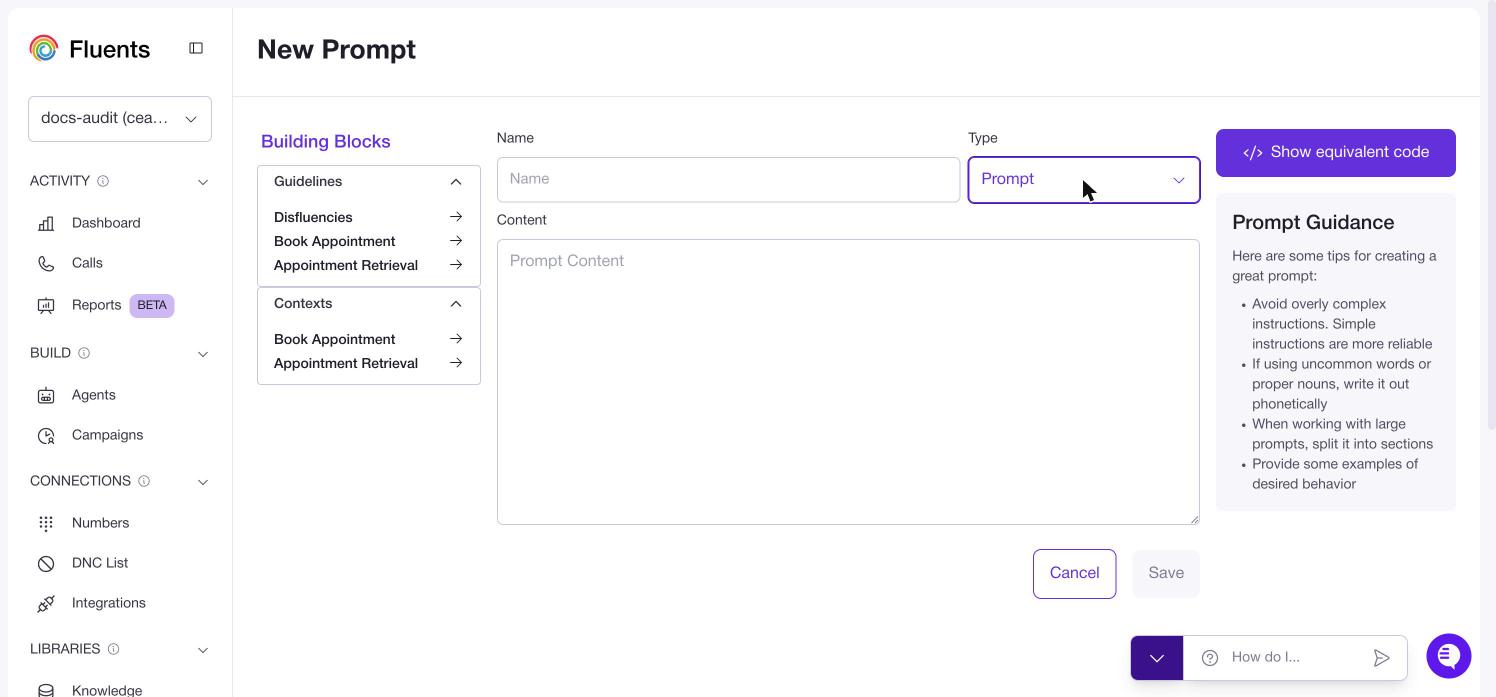
What makes a prompt work
The editor carries this guidance, and it is worth repeating because it is the difference between an agent that behaves and one that improvises.- Keep instructions simple. Simple instructions are more reliable than complex ones. This is the one people ignore.
- Spell out unusual words phonetically. Product names and proper nouns get mangled otherwise, because the agent is reading them aloud.
- Split large prompts into sections. A wall of text is harder for the agent to follow than the same content under headings.
- Give examples of what you want. Showing beats describing.
Using a prompt on an agent
Open the agent and find Agent Prompt on the Basic Information tab. The dropdown above the text box lists the prompts in your library. Pick one and it fills the box, after which you can edit it freely for that agent.Only entries of type Prompt appear in that dropdown. Building blocks do not,
because they are meant to be composed into a prompt here rather than used as one.
Where to go next
- Put the prompt to work: Agents
- Have the agent propose prompt changes from a real call: Testing an agent
- Reference stored content instead of writing it into the prompt: Knowledge Bases