

Before you start, build something with
Your first inbound agent or
Your first outbound agent. This page assumes an agent
already exists.
The loop
1
Break it
Place a call and try to make it fail.
2
Capture it
Turn that call into a test case, before you fix anything.
3
Fix it
Give feedback on the exact thing it said and let it rewrite the prompt.
4
Prove it
Re-run the test. Now you know instead of hoping.
5
Extend it
Add skills, so calls end somewhere useful.
6
Measure it
Add insights, so real calls tell you what to fix next.
1. Break it
Open the agent and use Test Agent in the right hand panel. Start Browser Call talks to it through your microphone with no phone number involved. Start Phone Call asks for a number and rings you, which is the honest test because phone audio is harder than browser audio. Do not be polite. The useful calls are the awkward ones.- Interrupt it mid sentence.
- Say something off topic.
- Say no, then change your mind.
- Ask a question the prompt never anticipated.
2. Capture it, before you fix it
Open the call in Calls. The Summary tab has both halves of this loop on it.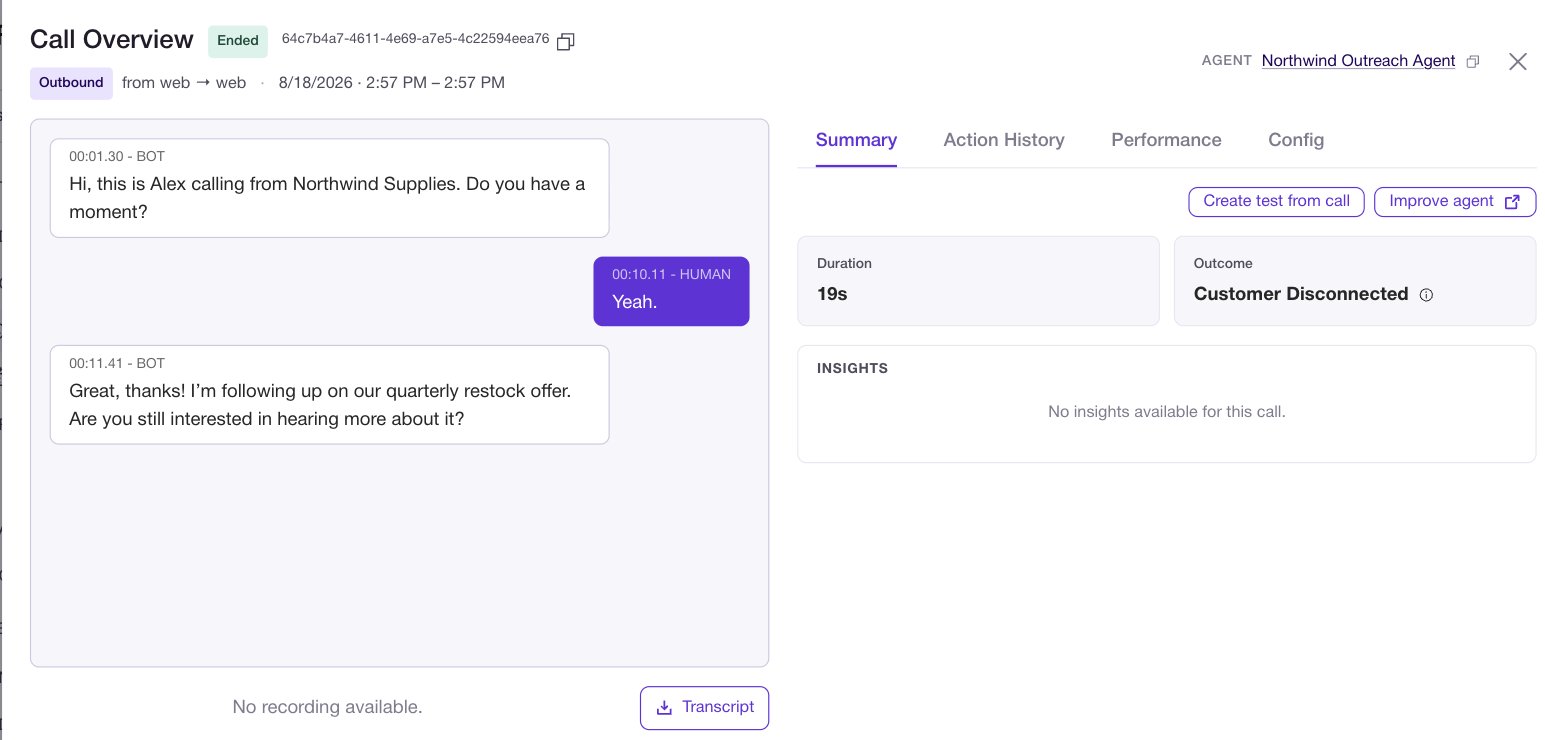
3. Fix it by talking, not typing
Still on the call, click Improve agent. The transcript sits on the left and a feedback box on the right. You have two ways to say what went wrong, and they combine:- Describe it in plain language in the feedback box.
- Click the specific agent message that was wrong and comment on that turn.
Review before you accept
Recommendations never apply silently. They open in a Prompt changes window with green for added text and red for removed, numbered so you can step through them with Previous and Next.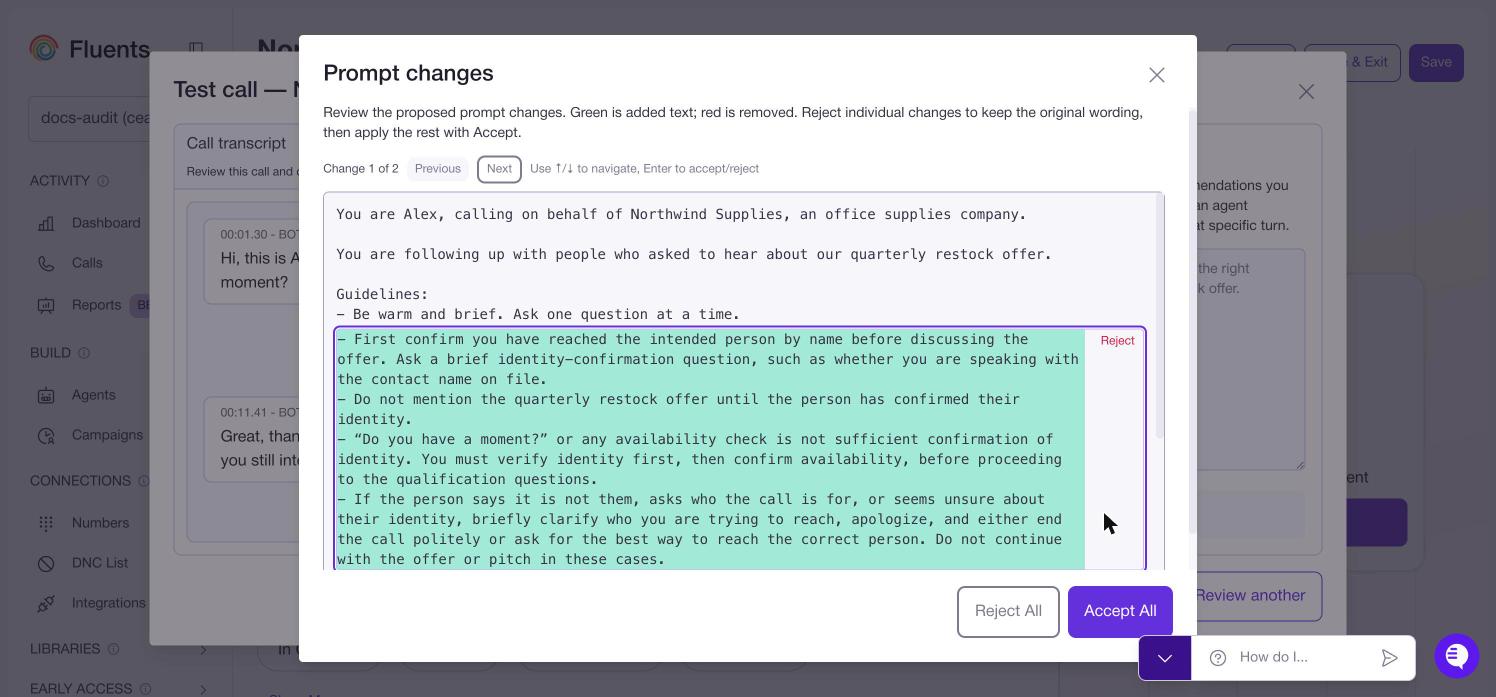
4. Prove it
Go to the agent’s Test tab. If you have never used it, Generate suite reads your prompt and writes cases for you, grouped by the five things that actually go wrong on calls.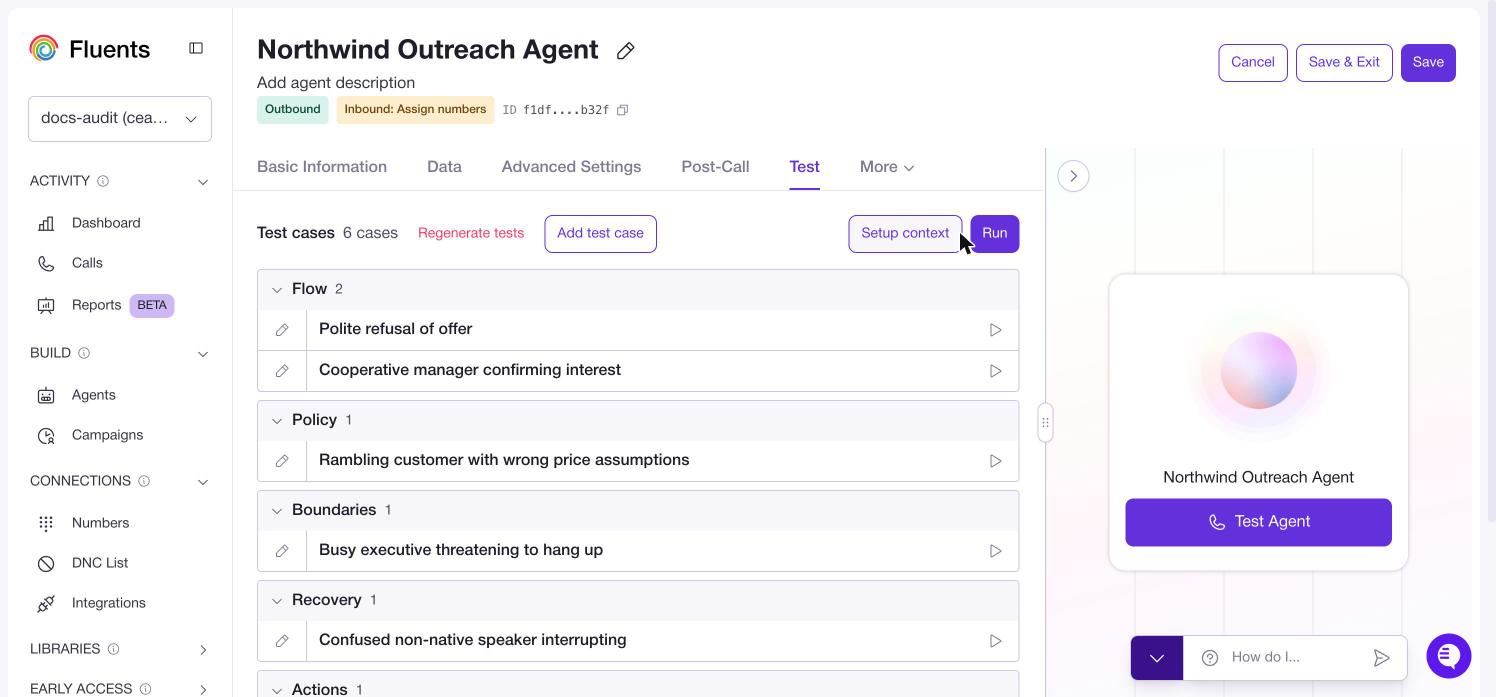
Run executes the whole suite, and each case has its own run control for the one you
are working on. Setup context supplies values like a name or an order number so
cases behave like real calls. Regenerate tests replaces the suite, and Add test
case writes one yourself.
Your captured case is in there. Run it. If it passes, the fix is real. If it does not,
go back to step 3 with better feedback.
5. Extend it with skills
Only now. A skill added to an agent that cannot hold a conversation just gives it a new way to fail. Skills are about how the call ends, not how it talks. Three earn their place first:- Appointment scheduling books the meeting on the call instead of sending a link and hoping.
- Call back later agrees a time with the people who are not ready now, so the contact is not spent.
- Call routing transfers to a person when the caller asks for one.
6. Measure it, so real calls tell you what to fix
Steps 1 to 4 rely on you noticing a bad call. That does not scale past a few dozen. On the agent’s Post-Call tab, an insight is one thing you want to know about every call. Whether they agreed to a follow up. Which product they asked about. Whether the caller sounded confused.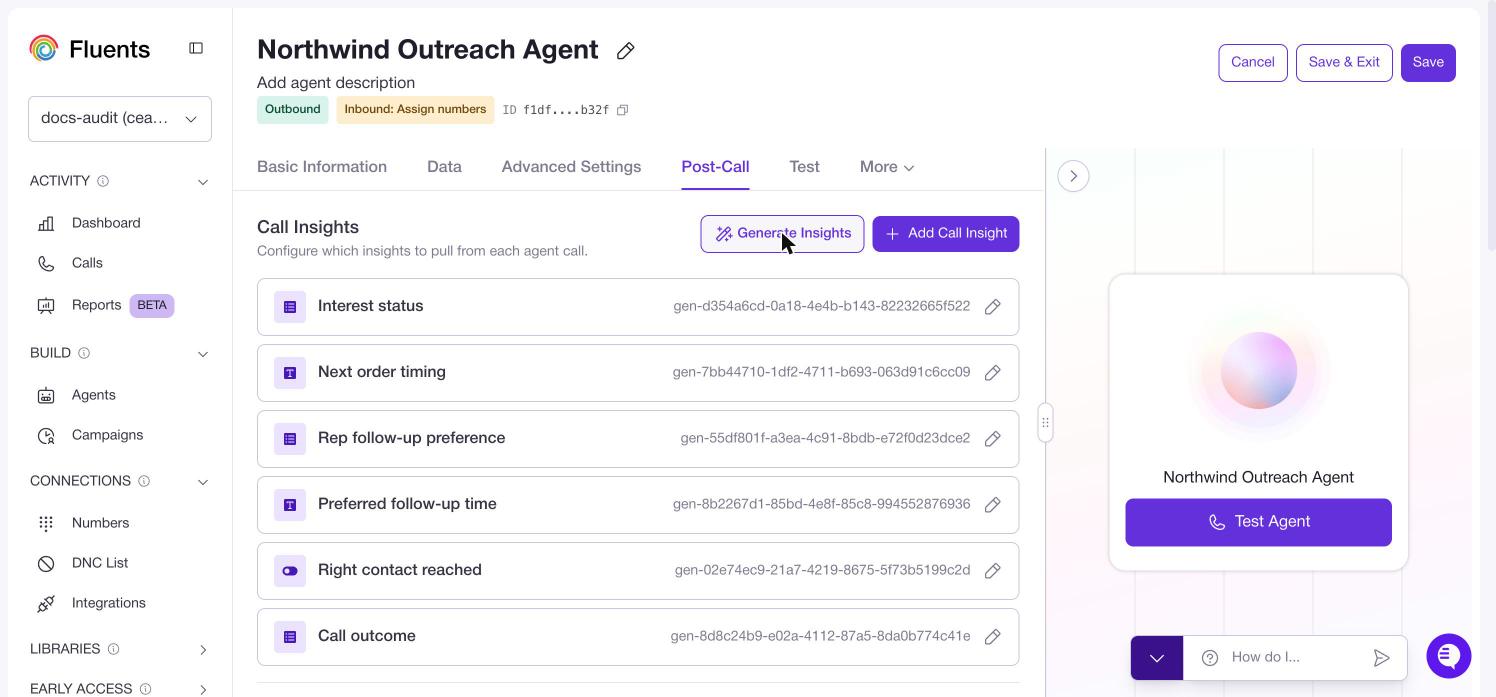
What good looks like after a week
- A test suite with more captured real failures in it than generated cases.
- A prompt you have never edited by hand.
- One or two insights you actually look at, rather than eight you do not.
Where to go next
- Testing an agent for the full Test tab.
- Post-call for insights and result conditions.
- Agents for every setting this page skipped.
- Use cases for complete builds.