

- Call Insights pull specific facts out of the conversation.
- Result Conditions decide whether the call counted as a success.
- Post-Call Messaging sends a follow up email or SMS.
- Sync Post-Call Activity to CRM records it in your CRM.
Call Insights
An insight is one thing you want to know about every call. The caller’s name. Whether they agreed to a follow up. Which product they asked about. Once configured, insights show on each call in Calls, can be filtered on, and can be included in a CSV export.Creating an insight
Select Add Call Insight, then either Create new insight or Add existing insights to reuse one already defined in this environment. A new insight needs four things:
Selector adds a Choices list, so the answer has to be one of the options you
allow. That is what makes an insight countable later, rather than free text you have
to read.
Test Insight runs it before you save.
Generating insights
Generate Insights reads your agent prompt and proposes a set for you.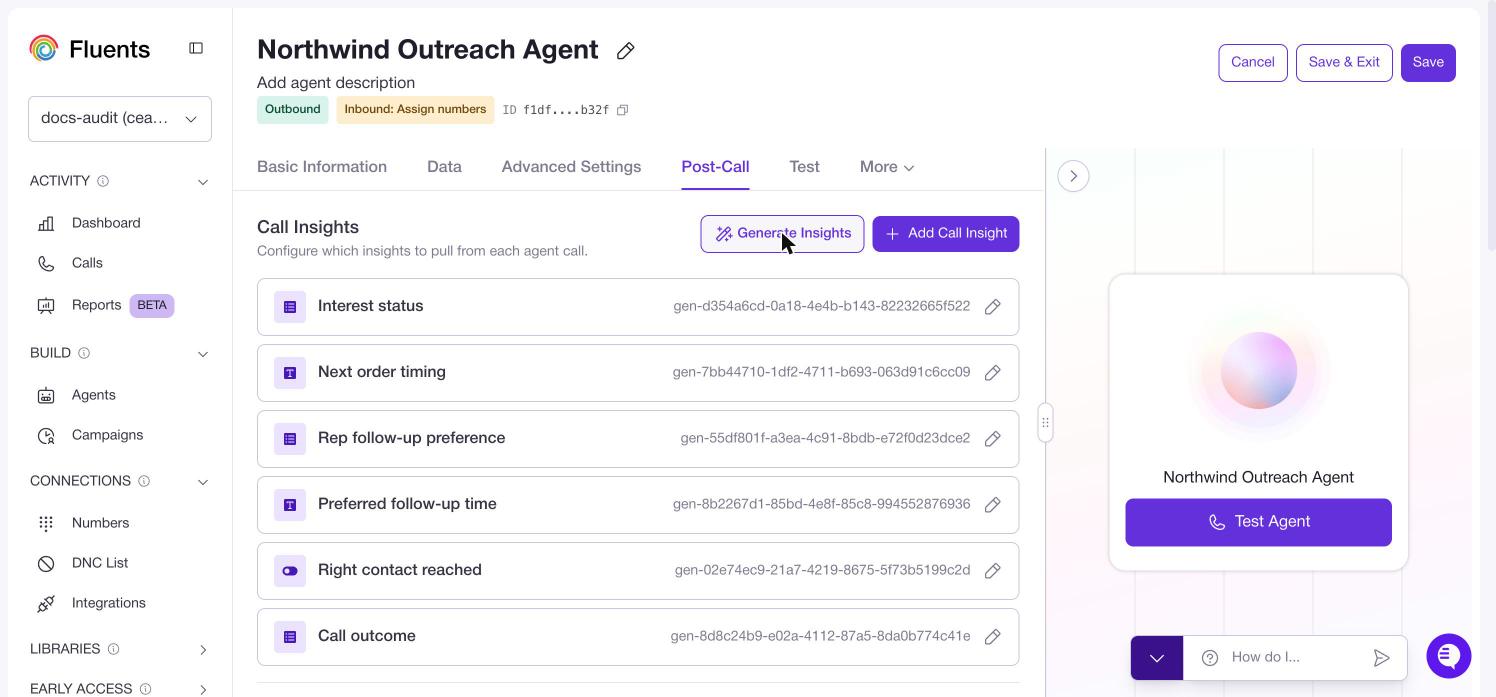
Result Conditions
Result Conditions turn a call into a pass or a fail. The result appears in the Result column in Calls, drives the Agent performance panel on the Dashboard, and can be filtered and exported. You build two rule sets, one for Successful outcome and one for Unsuccessful outcome. Each condition is based on either a Call property, such as whether voicemail was detected, or a Call Insight value. How the logic works:- Conditions inside one set must all be true.
- Or if starts another set. Any set matching is enough.
- If a call matches both the successful and unsuccessful rules, it counts as Unsuccessful.
With no conditions configured, every call shows a blank Result. This is the most
common reason the Result column looks empty.
Post-Call Messaging
Add Message creates a rule that sends an email or an SMS after the call. You can add several, each with its own conditions, so a call that went one way gets a different follow up from one that went another.Sync Post-Call Activity to CRM
Records call insights and messaging activity against the contact in your CRM. Pick the connection you want to write to. Connections are set up in Integrations.Where to go next
- See insights and results on real calls in Calls.
- Configure the agent that produces them in Agents.
- Connect a CRM in Integrations.