> ## Documentation Index
> Fetch the complete documentation index at: https://docs.fluents.ai/llms.txt
> Use this file to discover all available pages before exploring further.
# How-To: Prompt
> Guide to creating the prompt for an Agent.
# Prompt: Creating the Personality and Behavior of Your Agent
The **Prompt** defines how your Agent communicates — its tone, responses, and behavior during interactions.\
Prompts can also include metadata from your context using variables such as `{variable_name}`.
***
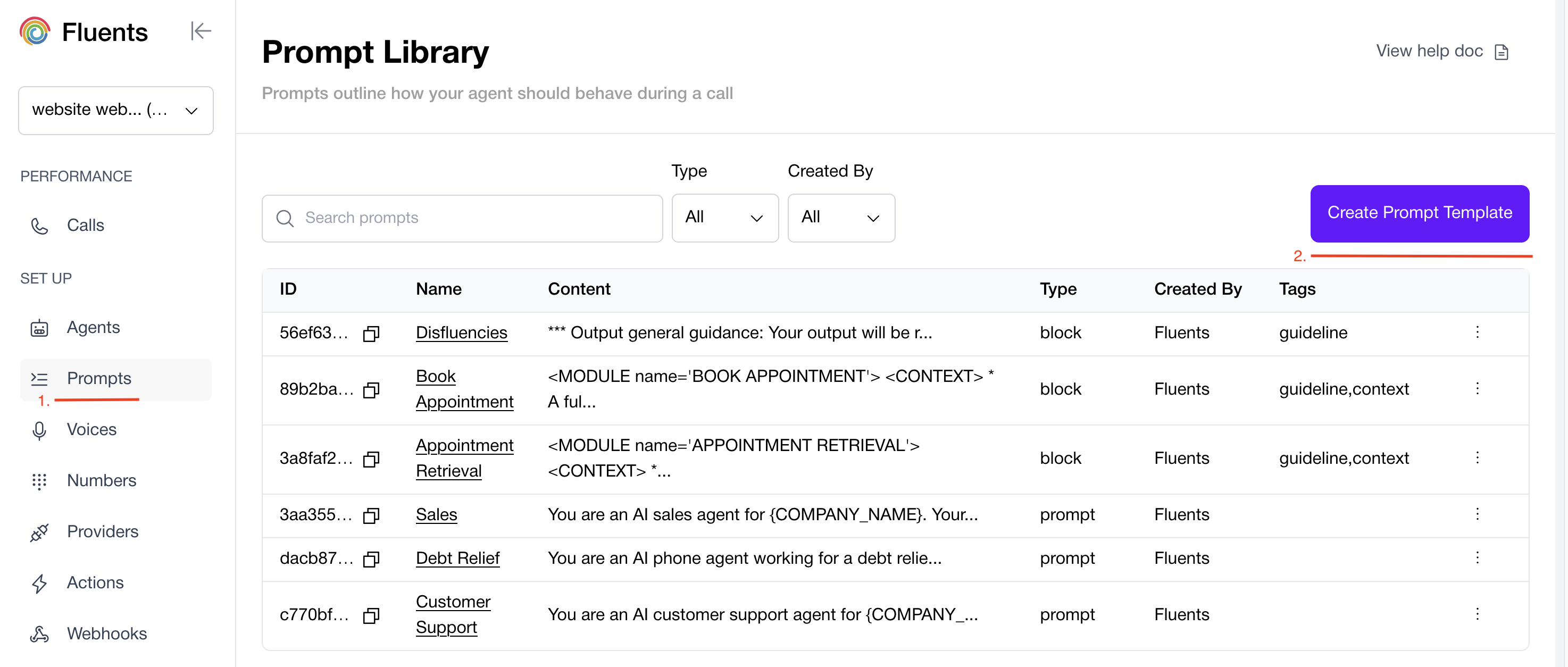
## Creating a Prompt
You can write a Prompt from scratch or enhance it with reusable **Blocks**.
 ***
## Using Blocks in Prompts
Fluents.ai supports a modular **Block system**, allowing you to build Prompts with reusable components.
A **Block** is a predefined set of instructions, context, or logic that can be inserted into a Prompt.\
Multiple Blocks can be combined in a single Prompt to simplify complex workflows.
### Examples of Blocks
* **Knowledge Base Block** — Load company-specific facts or FAQs.
* **Voicemail Detection Block** — Add logic for handling voicemail scenarios.
* **Fallback Block** — Define responses for uncertainty or no reply.
* **Compliance Block** — Insert disclaimers or consent language as required.
By combining Blocks, you can create flexible and consistent Agent behavior across multiple Prompts.
***
## Using Blocks in Prompts
Fluents.ai supports a modular **Block system**, allowing you to build Prompts with reusable components.
A **Block** is a predefined set of instructions, context, or logic that can be inserted into a Prompt.\
Multiple Blocks can be combined in a single Prompt to simplify complex workflows.
### Examples of Blocks
* **Knowledge Base Block** — Load company-specific facts or FAQs.
* **Voicemail Detection Block** — Add logic for handling voicemail scenarios.
* **Fallback Block** — Define responses for uncertainty or no reply.
* **Compliance Block** — Insert disclaimers or consent language as required.
By combining Blocks, you can create flexible and consistent Agent behavior across multiple Prompts.
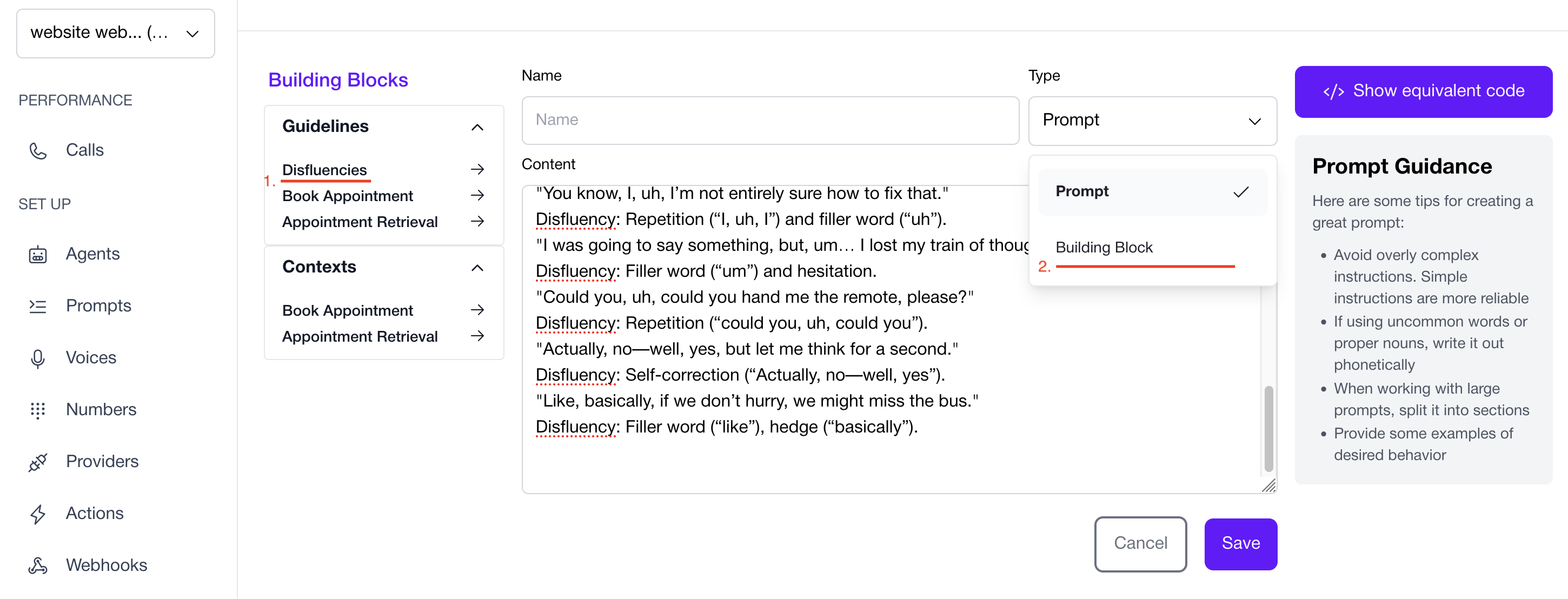 ### Adding a Block
1. In the interface, select the Block you want to add.
2. Choose whether you’re creating a full Prompt or a standalone Block.
3. If creating a Block, assign it a **tag** to categorize and reuse it effectively.
***
## Next Steps
* Explore the API: [Create Prompt](../../api-reference/prompts/create-prompt)
* Continue setup: [Agent Guide](./agent)
### Adding a Block
1. In the interface, select the Block you want to add.
2. Choose whether you’re creating a full Prompt or a standalone Block.
3. If creating a Block, assign it a **tag** to categorize and reuse it effectively.
***
## Next Steps
* Explore the API: [Create Prompt](../../api-reference/prompts/create-prompt)
* Continue setup: [Agent Guide](./agent)